

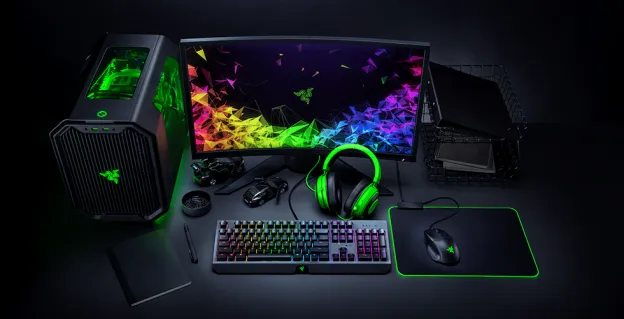
Gaming computers are built for demanding visual workloads, but not every system has the same performance or market appeal. When businesses consider gaming desktop deals in bulk, understanding the graphics card and processor can help explain differences in the value of equipment being assessed.
These components influence the applications a desktop can handle, its expected performance, and its suitability for another user. Their age, condition, compatibility, and specifications should be considered together. A structured review helps businesses describe their systems accurately and approach bulk evaluation with realistic expectations.
Understanding Gaming PC Valuation
Gaming PC valuation is an assessment of a desktop’s potential worth based on its hardware, condition, completeness, and demand. The graphics card and processor are central to this review because they influence rendering, computing performance, and the range of tasks the system can support. However, neither component should be considered in isolation.
A desktop with a powerful graphics card may still have limitations if its processor, memory, cooling, or power supply cannot support it effectively. Similarly, a capable processor does not automatically make an older system valuable if other components are outdated or damaged. Evaluators consider the complete configuration to understand the practical usefulness of each unit.
Graphics Card Features That Shape Assessment
Graphics cards handle image rendering and many graphics-intensive tasks. Their model, memory, architecture, condition, and compatibility can influence how attractive a gaming desktop may be for continued use. For businesses submitting several systems, recording the exact card model is more useful than describing every unit simply as a gaming computer.
1. Graphics Processing Model
The specific graphics card model helps indicate its generation and performance class. Two cards with similar names may belong to different product generations or have different capabilities. Recording the manufacturer and complete model number gives evaluators a clearer basis for comparing systems and identifying meaningful differences across a batch.
2. Dedicated Video Memory
Video memory, often called VRAM, stores visual data used during graphics processing. Capacity can affect suitability for games and professional applications with detailed textures or complex scenes. However, a larger memory figure alone does not guarantee stronger performance; the card’s architecture and overall design also matter.
3. Card Condition and Operating Stability
A graphics card should be assessed for visible damage, unusual noise, overheating signs, and stable operation where testing is possible. Heavy use, poor ventilation, or previous repairs may affect reliability. A card that powers on but performs inconsistently should not be described as fully functional without further checks.
4. Cooling Design and Physical Fit
Fans, heatsinks, and other cooling elements help manage the heat generated by a graphics card. Damaged fans, blocked vents, or missing parts can affect operation. Physical dimensions also matter because a replacement card must fit the desktop case and work with its power connections and motherboard.
5. Power Requirements and Connectivity
Graphics cards may require specific power connectors and a power supply with adequate capacity. Display outputs and supported connections can also affect practical compatibility. A system with missing cables, unsuitable power hardware, or damaged ports may need additional work before it can be reused, which can influence its assessment.
Processor Specifications and System Capability
The processor manages instructions and general computing tasks, working alongside the graphics card to support overall system performance. Its model, generation, core configuration, and operating condition help indicate whether a desktop can meet workload expectations. Comparing processor details across a bulk inventory can reveal substantial differences between otherwise similar-looking machines.
Processor compatibility is also important. Motherboard support, firmware requirements, cooling capacity, and memory compatibility can limit upgrade options. A processor should therefore be evaluated as part of the complete desktop rather than as a standalone specification. Businesses seeking a bulk gaming desktop buyer in Abu Dhabi should provide accurate model details so the equipment can be reviewed with its actual configuration in mind.
Combined Hardware Condition and Compatibility
Graphics cards and processors work within a larger hardware environment. Memory capacity, storage type, motherboard condition, power supply quality, and cooling all affect whether a desktop operates reliably. A balanced system may be more practical for reuse than one with a high-end graphics card paired with components that restrict performance.
Physical condition and completeness also influence the assessment. Damaged ports, missing panels, unstable power, dust buildup, or absent components can create additional work. Where testing is available, businesses should distinguish between systems that operate normally, those with faults, and those that have not been tested. Clear descriptions prevent assumptions and make the inventory easier to evaluate.
Preparing Gaming Desktops for Bulk Evaluation
An organized inventory helps an evaluator understand the range of equipment before collection. Businesses can group desktops by brand, model, graphics card, processor, and general condition. If a specification cannot be confirmed, it should be marked as unknown rather than estimated. Photos of model labels and internal components may support identification, provided devices are opened safely by qualified staff.
Before arranging collection, organizations should also consider data security and practical handover details. Gaming desktops may contain business files, user accounts, or saved information, particularly when used in offices, studios, or gaming venues. A gaming desktop bulk inquiry is more productive when the quantity, location, condition, and data-handling requirements are shared clearly.
● Desktop brand and model
● Graphics card make and model
● Processor model and generation
● Working status and visible damage
● Quantity and collection location
These details create a consistent record for discussion and help identify differences between units. They also make it easier to reconcile the equipment prepared for collection with the inventory shared during evaluation.
Conclusion
Graphics cards and processors are important indicators in gaming desktop valuation, but their contribution depends on the complete system. Model, generation, memory, cooling, power requirements, compatibility, and operating condition all help establish whether a desktop may retain practical value. Accurate records allow businesses to distinguish between configurations and prepare useful information for bulk assessment.
Businesses searching for a bulk gaming desktop buyer in Abu Dhabi can approach E-Waste IT Recycling for organized gaming desktop collection, equipment evaluation, and responsible recycling services. The company offers free bulk pickup across the UAE and assesses gaming desktops based on their specifications, condition, and potential market value. It also provides immediate payment by cash or bank transfer following evaluation and approval. With secure data handling and environmentally responsible recycling practices, E-Waste IT Recycling helps businesses, gaming centers, and other organizations manage surplus gaming systems through a structured collection process.
